Firefox
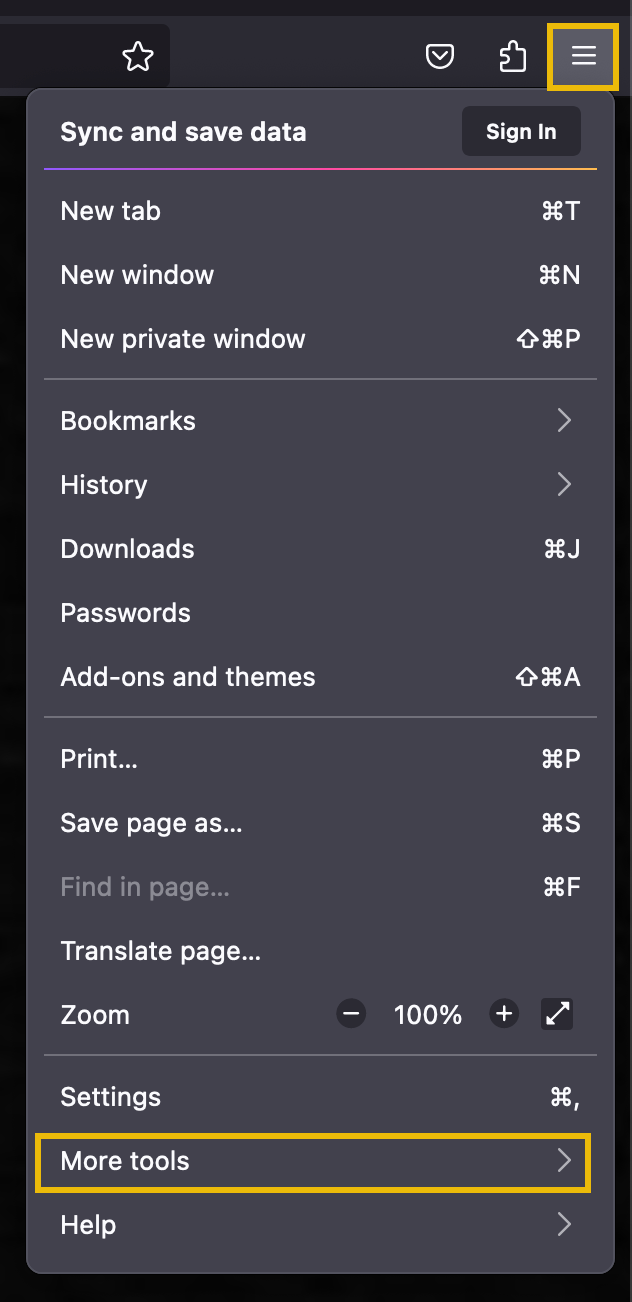
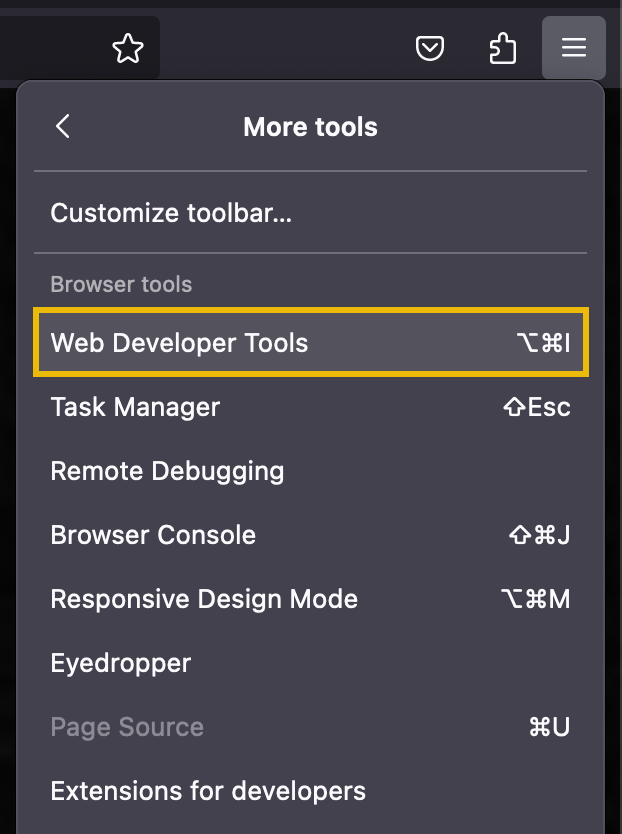
To open the developer tools in Firefox, click the Firefox Menu icon on the top right of the browser. Then, select More tools. In the submenu, choose Web Developer Tools.
Chrome
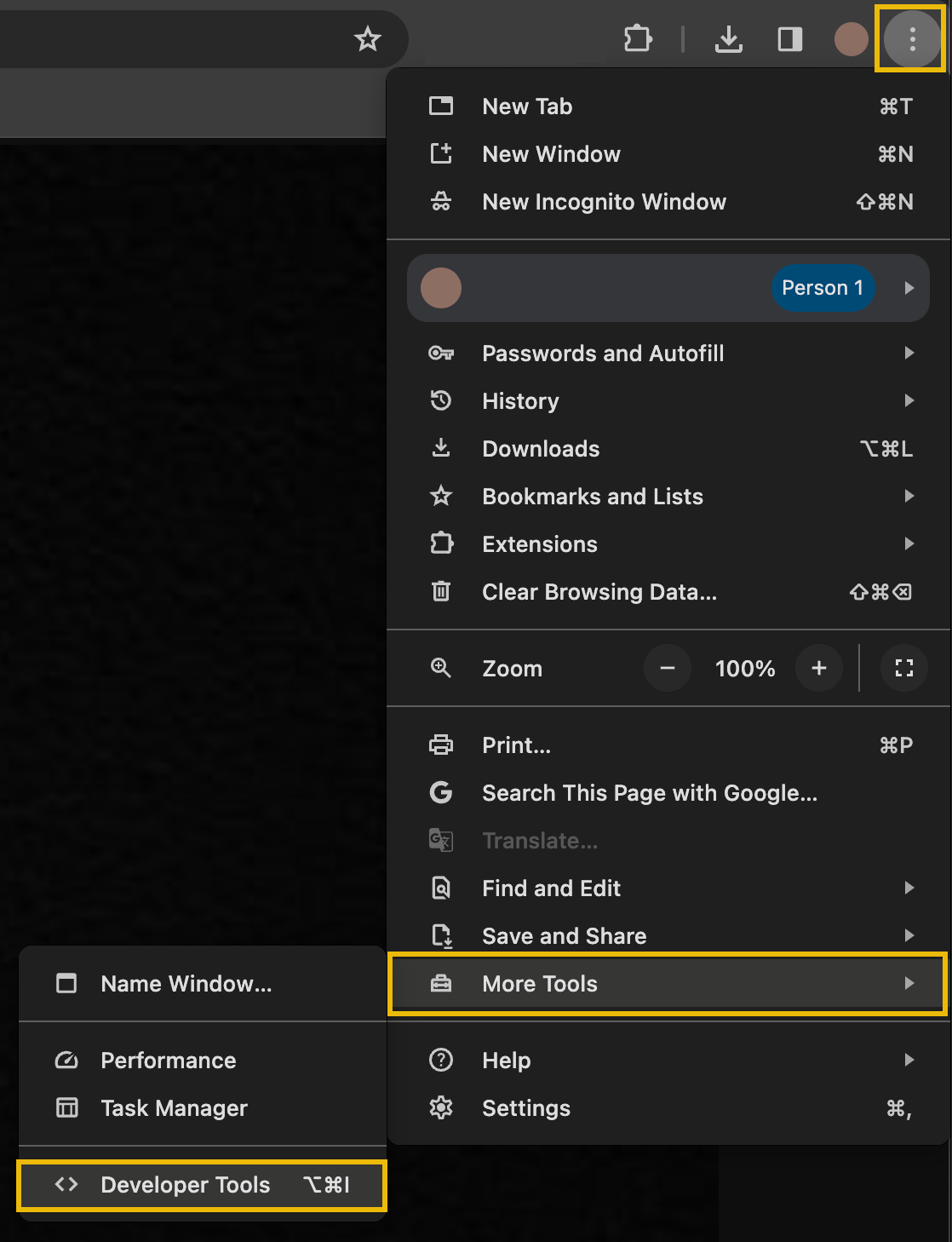
To open the developer tools in Chrome, click the Chrome Menu icon on the top right of the browser. Then, select More Tools. In the submenu, choose Developer Tools.
Safari
To open the developer tools in Safari, first enable the Developer Menu. Click Safari Menu > Settings to open the settings and preferences panel in Safari.
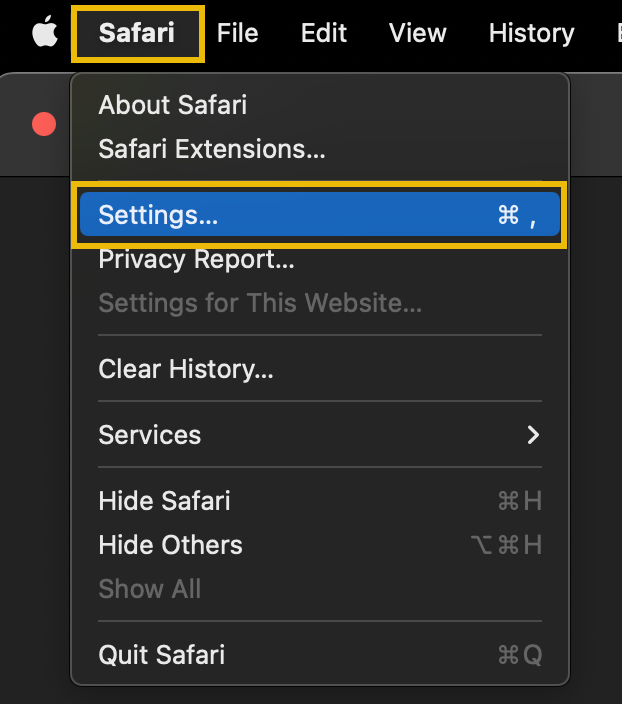
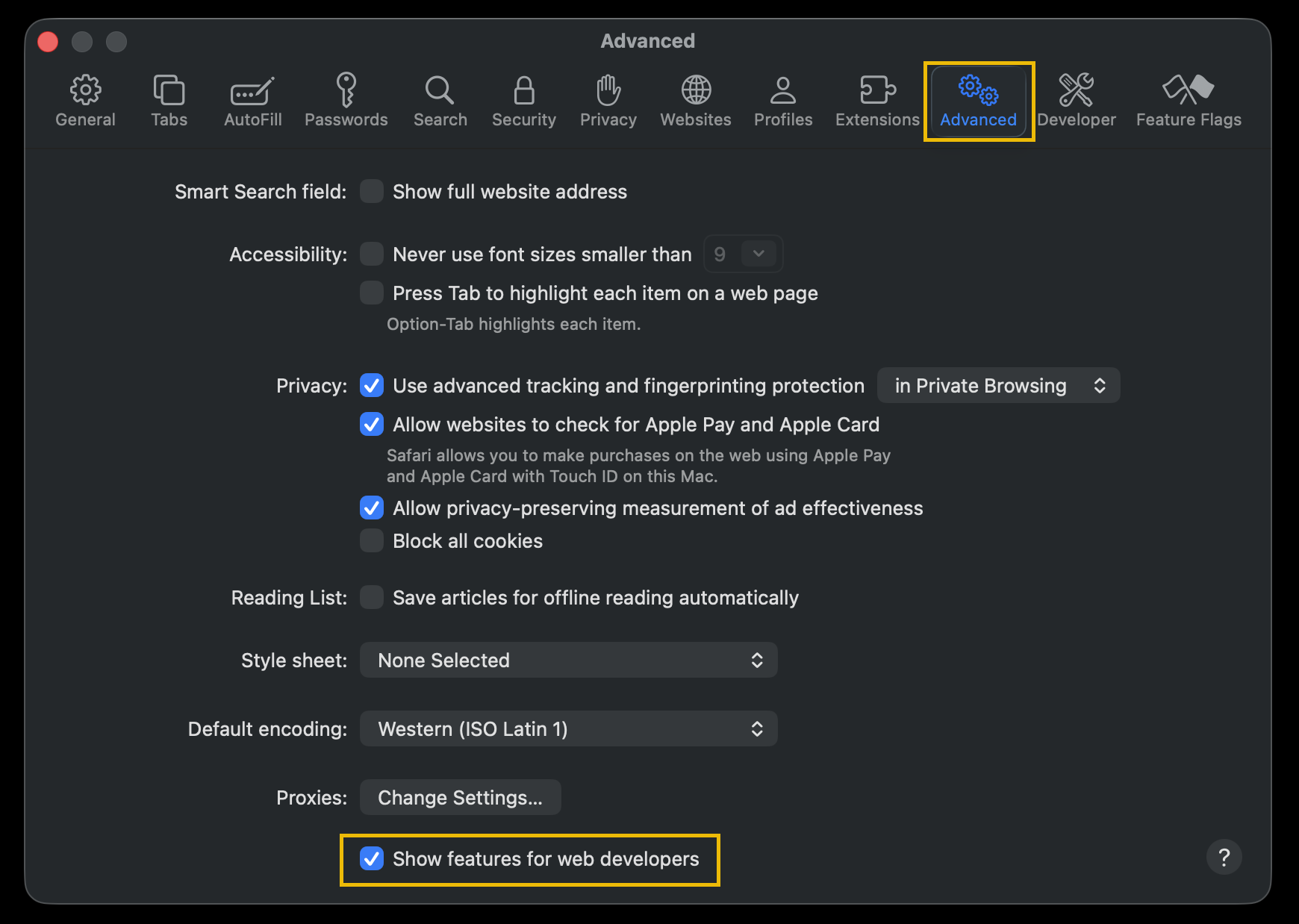
From here, click on the Advanced tab and then tick the checkbox at the bottom labelled Show features for web developers.
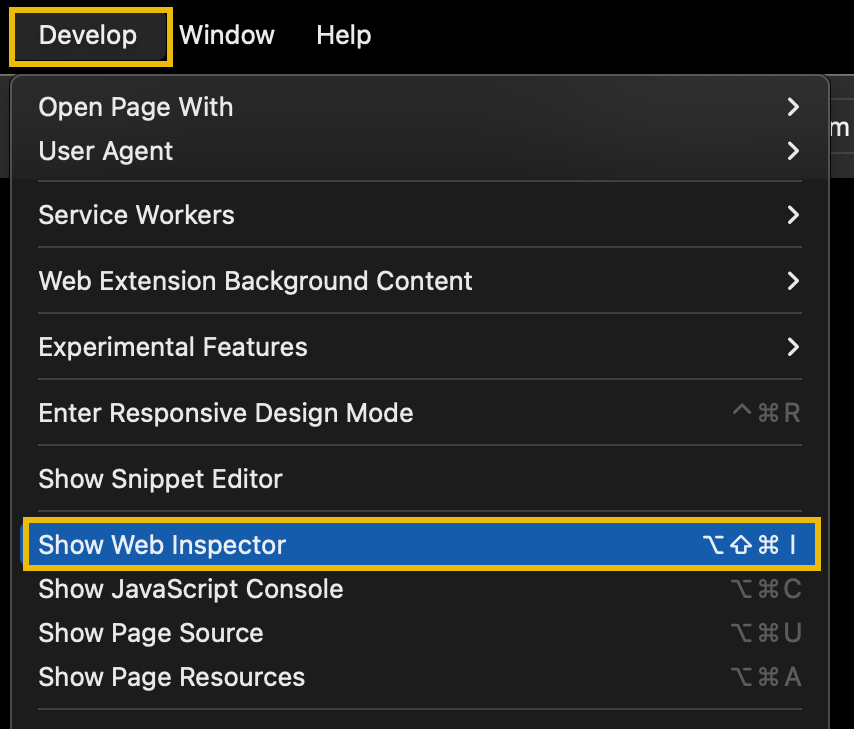
In the top menu bar, you will now have the Develop menu. Click on the Develop menu and select Show Web Inspector to open the developer tools.
Edge
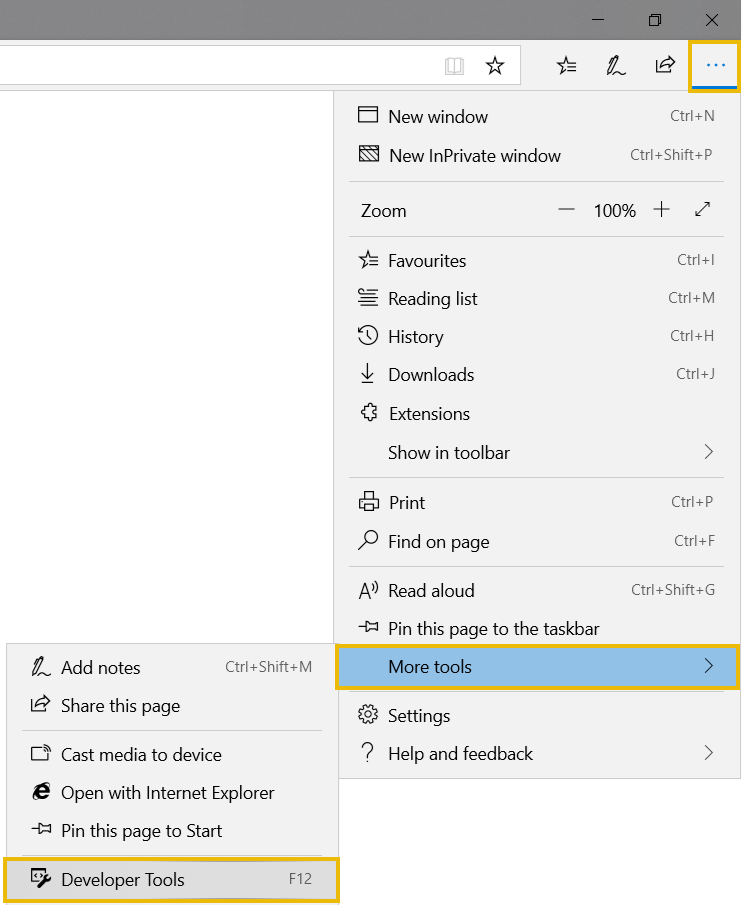
To open the developer tools in Microsoft Edge, click on the Edge Menu on the right-hand side of the browser and then select More tools. From the submenu, select Developer Tools.
Internet Explorer
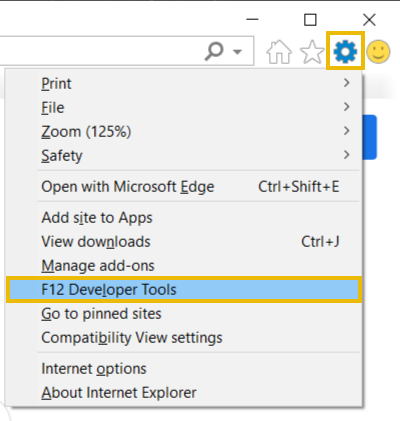
To open the developer tools in Internet Explorer, click on the cog menu icon on the right-hand side of the browser and then select F12 Developer Tools.